Maps and routes, right in the chat
Words are a poor way to say where something is. So now Dopppel shows you, with a map right in the chat.

"It's near the park, past the big church, on the left." Directions in words are hard to follow. You end up copying the name into another app just to see where it is.
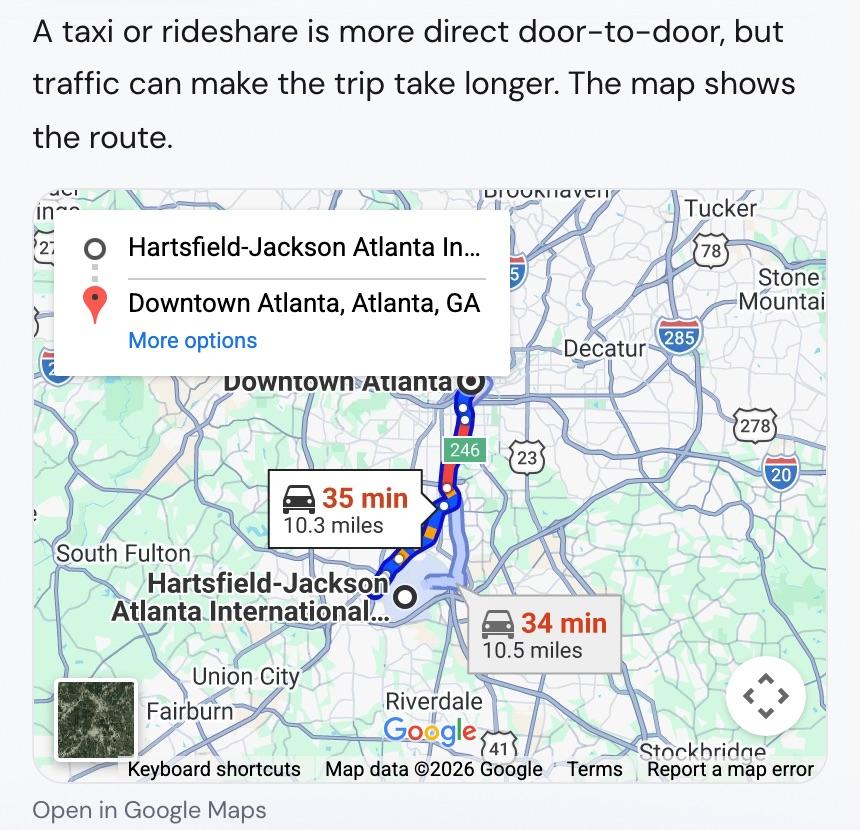
Today Dopppel starts showing maps right in the chat. Ask where a place is and a map shows up under the answer. Ask how to get somewhere and Dopppel draws the route, with how long it takes.
A pin for a place, a line for a trip
There are two kinds of maps. A place map drops a pin on one spot, like a hotel, a restaurant or an address. A route map draws the way between two spots and tells you the travel time.
Ask how far apart two places are and you get both. Dopppel says the distance in words, and the route is there to look at.
You do not have to ask for a map
When your question is about a real place, the map comes on its own. If Dopppel names a restaurant for you, the map comes with it. So you can see if it is near you before you decide.
Talking out loud? Ask in a voice call and the map lands in the chat. It is waiting for you when you look at the screen.
Be clear about which place you mean
Some towns share a name. "Springfield" alone is not enough for anyone, Dopppel included. Say the city or the state with it, and Dopppel finds the right one.
The map in the chat is for seeing where things are. For step-by-step driving or walking directions, tap the map. The same place or route opens in Google Maps, and you can get moving.
Try a map on your next trip
Maps are part of every Dopppel answer about a place, and Dopppel is free. Just ask. Try "where is the Ferry Building?" or ask how to get from where you are to somewhere you have been meaning to go. Then tap the map to open it in Google Maps.